Super Simple Shorten URL với Firebase Dynamic Links
MarkdownView HTML version
[goo.gl đã shutdown](https://www.searchenginejournal.com/goo-gl/246569/), và được thay thế bằng [Dynamic Link](https://firebase.google.com/docs/dynamic-links) của Firebase. Mình đã sử dụng API của Dynamic Link và Firebase viết [ứng dụng Shorten URL](https://s.duyet.net/) mới siêu đơn giản như dưới đây. Bài viết này mình xin hướng dẫn một chút và chia sẽ mã nguồn, cũng như cách deploy siêu đơn giản của Google Firebase.
**Demo: [https://s.duyet.net](https://s.duyet.net/)**
[](https://1.bp.blogspot.com/-mOYlbR85Tpw/XMciLyM34pI/AAAAAAAA_bE/aJtpyjh8Us0E5pbp8y6Djz4XA_qHmGFIACLcBGAs/s1600/Screen%2BShot%2B2019-04-29%2Bat%2B11.11.23%2BPM.png)
Mã nguồn: [https://github.com/duyet/firebase-shorten-url](https://github.com/duyet/firebase-shorten-url)
Service sử dụng:
- Firebase Functions
- Firebase Hosting
- Dynamic Link
## Bước 1: Cài đặt Firebase Functions
theo các bước ở đây: [https://firebase.google.com/docs/functions/get-started](https://firebase.google.com/docs/functions/get-started) bao gồm
- Set up Node.js and the Firebase CLI
- Initialize Firebase SDK for Cloud Functions
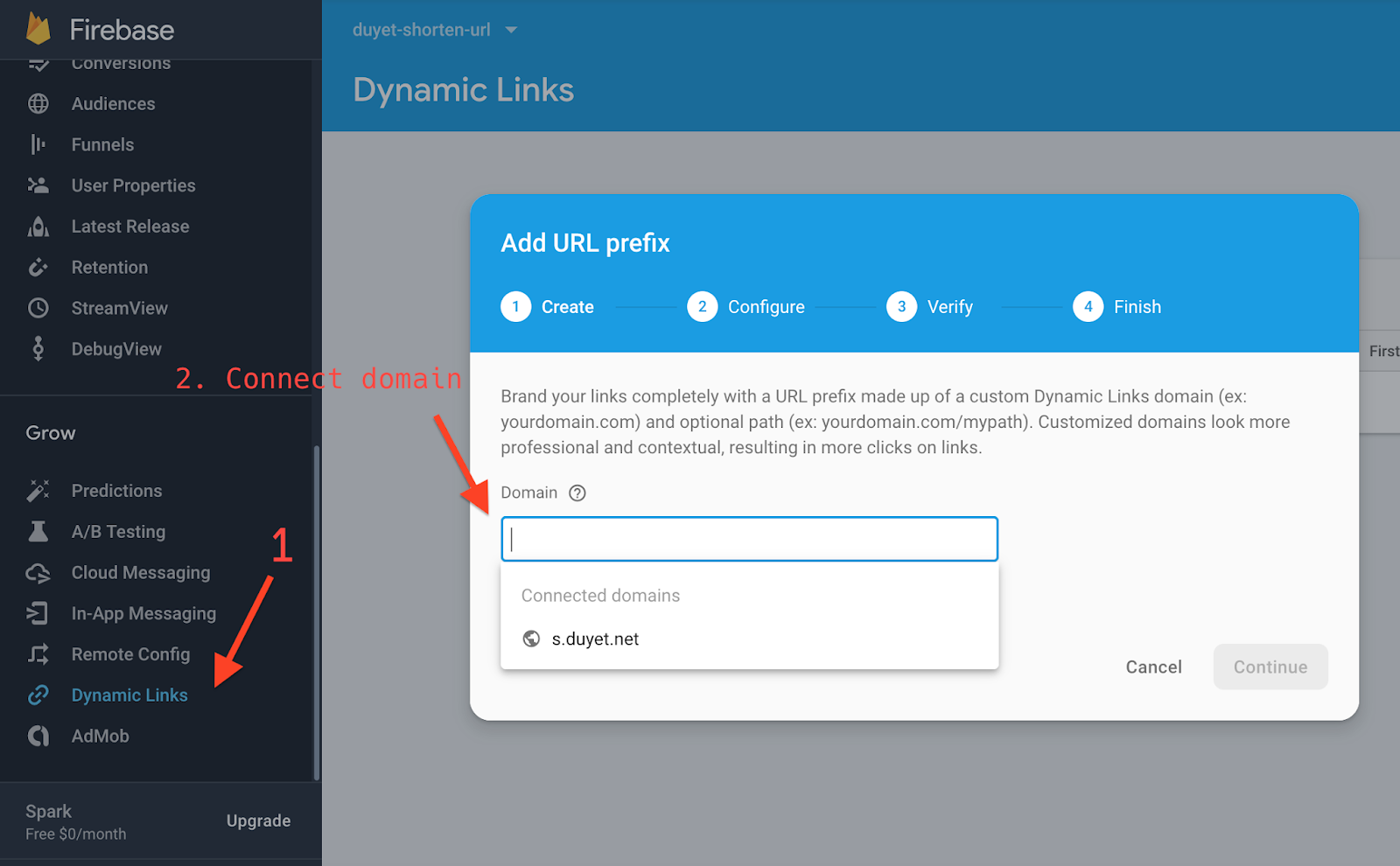
- Kích hoạt Dynamic Link
[](https://3.bp.blogspot.com/-cCVwSlW79zE/XMckrgE5OiI/AAAAAAAA_bQ/thCrS7fDnHEtqKHGW_z9JeMPL3B48SdnQCLcBGAs/s1600/Screen%2BShot%2B2019-04-29%2Bat%2B11.19.25%2BPM.png)
- Mã nguồn cho API `addUrl`
```js
const axios = require('axios')
// The Cloud Functions for Firebase SDK to create Cloud Functions and setup triggers.
const functions = require('firebase-functions')
// The Firebase Admin SDK to access the Firebase Realtime Database.
const admin = require('firebase-admin')
const app = admin.initializeApp()
const config = functions.config().config
const apiKey = process.env.API_KEY || config.api_key || app.options_.apiKey
const firebaseDynamicLinkApi = `https://firebasedynamiclinks.googleapis.com/v1/shortLinks?key=${apiKey}`
const domainUriPrefix = config.domain_uri_prefix || 'https://duyeturl.page.link'
exports.addUrl = functions.https.onRequest(async (req, res) => {
const link = req.query.url || req.body.url || null
try {
let result = await axios.post(firebaseDynamicLinkApi, {
dynamicLinkInfo: {
domainUriPrefix,
link,
},
suffix: {
option: 'SHORT',
},
})
res.json(result.data)
} catch (e) {
console.error(e.message)
res.status(500).json('error')
}
})
```
- Deploy Firebase Functions:
```
firebase deploy --only functions
```
## Bước 2: Firebase Hosting, Web UI
Website mình sử dụng [Gatsby React](https://gatsbyjs.org/), mã nguồn tại thư mục hosting: [https://github.com/duyet/firebase-shorten-url/tree/master/hosting](https://github.com/duyet/firebase-shorten-url/tree/master/hosting)
API và Redirect link, cấu hình trong `firebase.json`, chú ý dòng rewrites `/api/add` và `/r/**`
```js
{
"functions": {
"predeploy": [
"npm --prefix \"$RESOURCE_DIR\" run lint"
],
"source": "functions"
},
"hosting": {
"cleanUrls": true,
"trailingSlash": false,
"public": "hosting/public",
"ignore": [
"firebase.json",
"**/.*",
"**/node_modules/**"
],
"rewrites": [
{ "source": "/api/add", "function": "addUrl" },
{ "source": "/r/**", "dynamicLinks": true },
{
"source": "**",
"destination": "/index.html"
}
]
}
}
```
Để test local, mở 2 terminal để chạy firebase functions và Gatsby hosting:
```
firebase serve
cd hosting && npm run develop
```
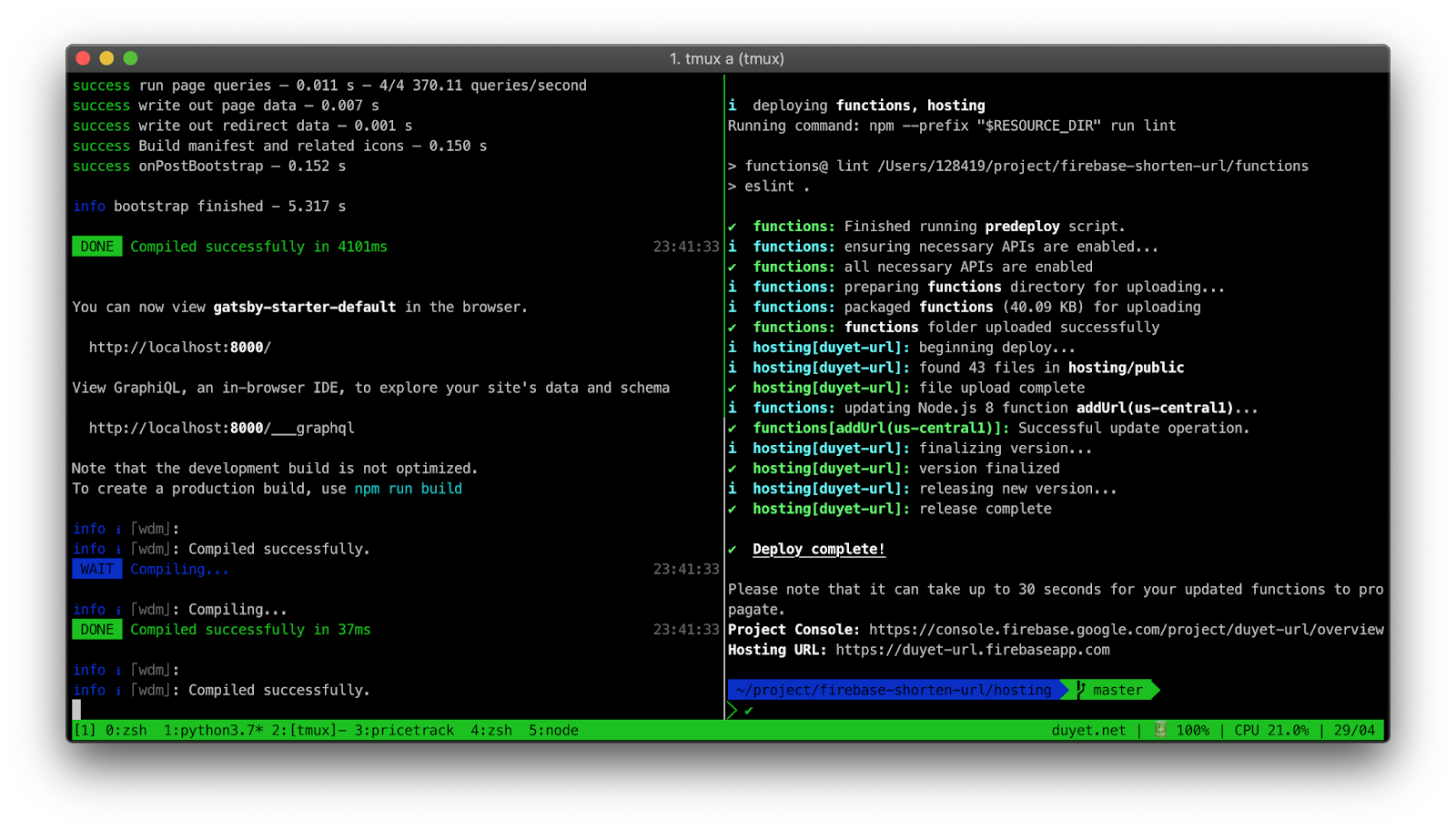
Để build và deploy hosting:
```
cd hosting && npm run build && firebase deploy
```
[](https://1.bp.blogspot.com/-JVpuNLRiG30/XMcpQ9rtPzI/AAAAAAAA_bc/dozCos8sL9cgJsH0Y97ntVPhxnkIVo59ACLcBGAs/s1600/Screen%2BShot%2B2019-04-29%2Bat%2B11.41.36%2BPM.png)
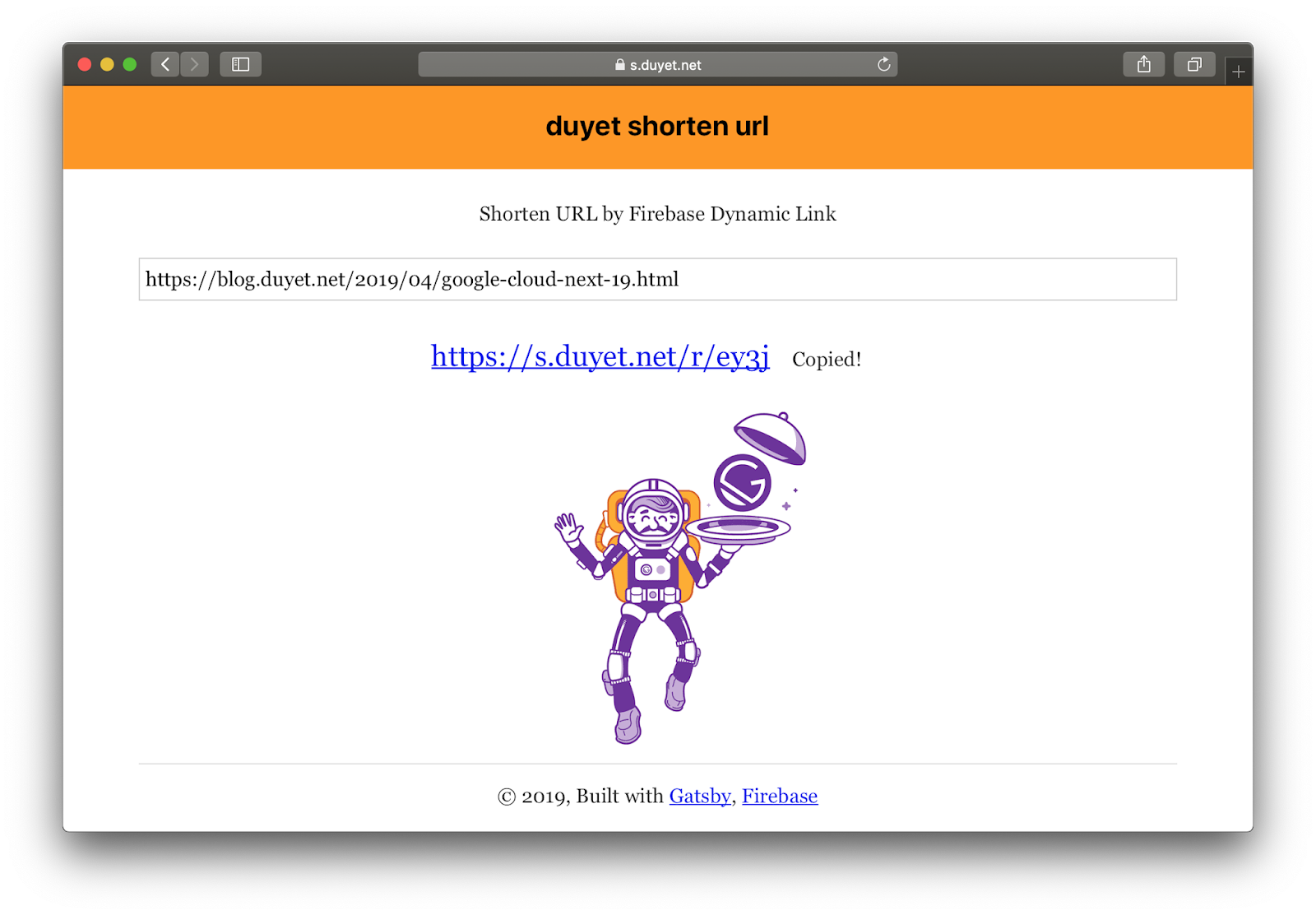
Kết quả: [https://s.duyet.net](https://s.duyet.net/)
[](https://1.bp.blogspot.com/-mOYlbR85Tpw/XMciLyM34pI/AAAAAAAA_bI/bZ3GGBH2QA0OLdC8HrwNl_nFF2TVMu8hQCEwYBhgL/s1600/Screen%2BShot%2B2019-04-29%2Bat%2B11.11.23%2BPM.png)
Hiện tại link được tạo bởi Dynamic Link không hiện trên Firebase Dashboard, và chưa thể custom được keyword như trên Firebase Dashboard.
## Tham khảo
1. [https://s.duyet.net](https://s.duyet.net/)
2. [Firebase Dynamic Links](https://firebase.google.com/docs/dynamic-links)
3. [https://gatsbyjs.org](https://gatsbyjs.org/)