Rust: cargo-edit
MarkdownView HTML version
<div class="noti">Chuỗi bài viết <a href="/tag/rust-tiếng-việt/">Rust Tiếng Việt</a> là một trong những nội dung nằm trong sách <a href="https://rust-tieng-viet.github.io/?utm_source=blog.duyet.net&utm_medium=post&utm_campaign=launch_rust_tieng_viet" target="_blank"><strong>Rust Tiếng Việt</strong></a></div> 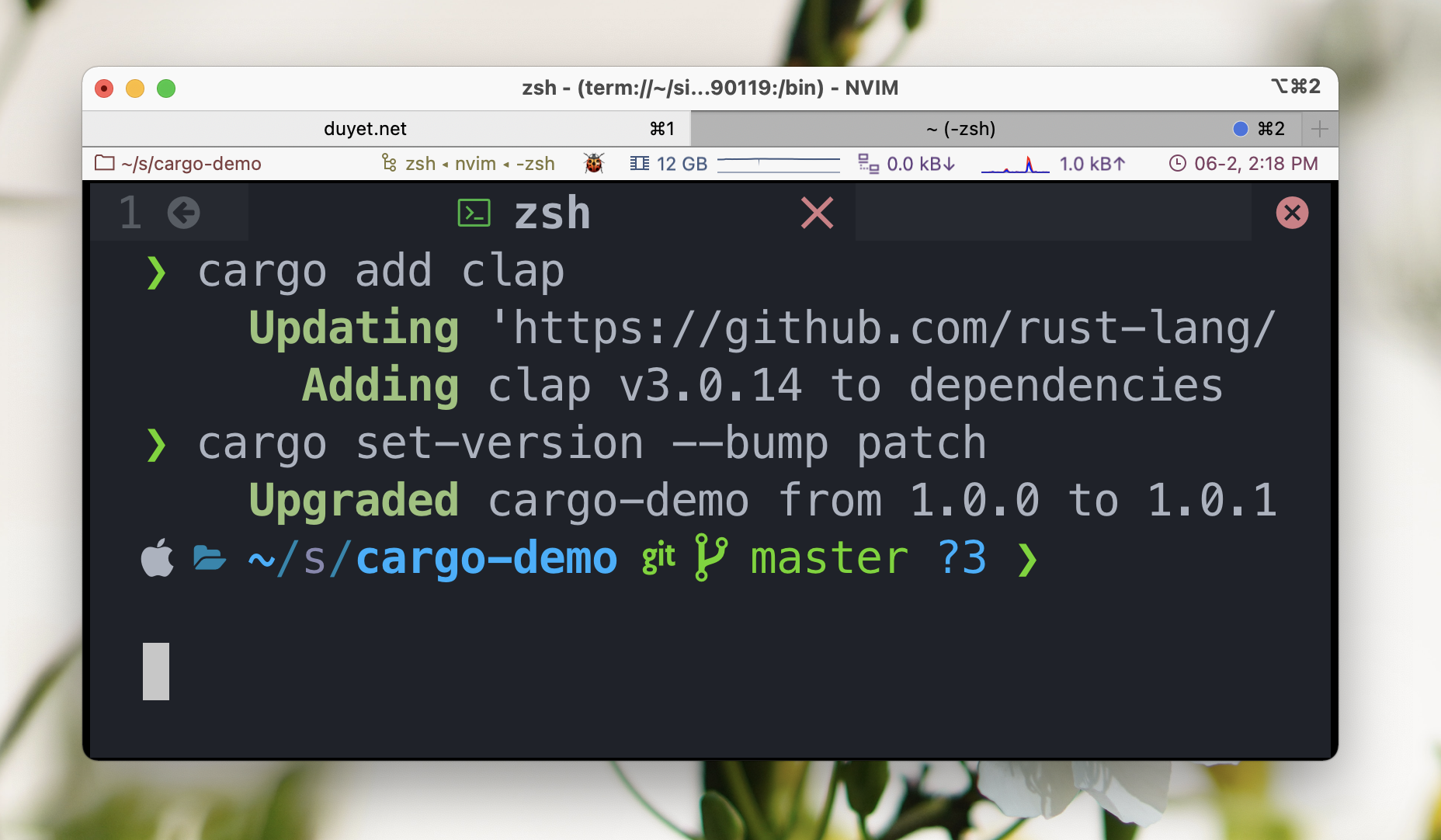 [`cargo-edit`](https://github.com/killercup/cargo-edit) là công cụ mở rộng của `cargo` cho phép có thêm một số tính năng quản lý dependencies giống như `npm` hoặc `yarn`. Ví dụ như `cargo add` sẽ hoạt động giống `npm install`hoặc `yarn` để cài packages, thay vì edit `Cargo.toml` thủ công như trước đây (trong Rust "packages" được gọi là "crates"). Một số lệnh mà cargo-edit hỗ trợ là: - `cargo install`: hoạt động giống như `npm install -g` hoặc `yarn global add` - [`cargo add`](https://github.com/killercup/cargo-edit#cargo-add): thêm vào `Cargo.toml` crate mà bạn cần. Ta vẫn sẽ cần chạy `cargo build` hoặc `cargo check` để download và compile dependencies. - [`cargo rm`](https://github.com/killercup/cargo-edit#cargo-rm): ngược lại xóa dependencies ra khỏi `Cargo.toml`. - [`cargo upgrade`](https://github.com/killercup/cargo-edit#cargo-upgrade): upgrade dependencies phiên bản mới nhất. - [`cargo set-version`](https://github.com/killercup/cargo-edit#cargo-set-version): thay đổi thuộc tính `version` trong `Cargo.toml` # Cài đặt Để cài đặt `cargo-edit` cho OS của bạn, hãy tham khảo [tại đây](https://github.com/killercup/cargo-edit#installation). ```bash $ cargo install cargo-edit ``` # Ví dụ ## `cargo add` Thêm một dependencies mới vào `Cargo.toml`. Nếu không chỉ định version, `cargo add` sẽ tự lấy version mới nhất từ [crates.io](https://crates.io/). ```bash $ # Có version cụ thể $ cargo add regex@0.1.41 $ # Thêm vào devDependency $ cargo add regex --dev $ # Tự lấy version từ [crates.io](http://crates.io) và thêm vào build dependency $ cargo add gcc --build $ # non-crates.io crate $ cargo add local_experiment --path=lib/trial-and-error/ $ # non-crates.io crate; tự động tìm tên của crate đó $ cargo add lib/trial-and-error/ $ # Features $ cargo add clap --features derive ``` ## `cargo rm` Ngược lại với `add` ```bash $ # Remove a dependency $ cargo rm regex $ # Remove a development dependency $ cargo rm regex --dev $ # Remove a build dependency $ cargo rm regex --build ``` ## `cargo set-version` ```bash # Set the version to the version 1.0.0 $ cargo set-version 1.0.0 # Bump the version to the next major $ cargo set-version --bump major # Bump version to the next minor $ cargo set-version --bump minor # Bump version to the next patch $ cargo set-version --bump patch ```