Rust Source-based Code Coverage
MarkdownView HTML version
Support for LLVM-based coverage instrumentation has been stabilized in Rust 1.60.0.
If you have a previous version of Rust installed via rustup, you can get 1.60.0 with:
```bash
rustup update stable
```
To get the **code coverage report** in Rust, you need to generate profiling data (1)
and then use LLVM tools to process (2) and generate reports (3).
(1) You can try this out to generate profiling data on your code by rebuilding your code with `-Cinstrument-coverage`, for example like this:
```bash
RUSTFLAGS="-C instrument-coverage" cargo build
```
```bash
$ ll *.prof*
default.profraw
```
Which will produce a `default.profraw` in the current directory,
if you have many binary or multiple projects, the file will be overwritten,
so please read [the document here](https://doc.rust-lang.org/stable/rustc/instrument-coverage.html#running-the-instrumented-binary-to-generate-raw-coverage-profiling-data)
to modify the output file name by using environment variables.
For example:
```bash
LLVM_PROFILE_FILE="profile-%p-%m.profraw" \
RUSTFLAGS="-C instrument-coverage" cargo build
```
For (2), the `llvm-tools-preview` component includes `llvm-profdata` for processing
and merging raw profile output (coverage region execution counts)
```bash
rustup component add llvm-tools-preview
$(rustc --print target-libdir)/../bin/llvm-profdata \
merge -sparse default.profraw -o default.profdata
```
```bash
$ ll *.prof*
default.profdata default.profraw
```
And also `llvm-cov` in the `llvm-tools-preview` component for report generation (3),
`llvm-cov` combines the processed output, from `llvm-profdata`, and the binary itself,
because the binary embeds a mapping from counters to actual source code regions:
```bash
$(rustc --print target-libdir)/../bin/llvm-cov \
show -Xdemangler=rustfilt target/debug/coverage-testing \
-instr-profile=default.profdata \
-show-line-counts-or-regions \
-show-instantiations
```
The annotated report will be like this:
```rust
1| 1|fn main() {
2| 1| println!("Hello, world!");
3| 1|}
```
## All in one script for code coverage
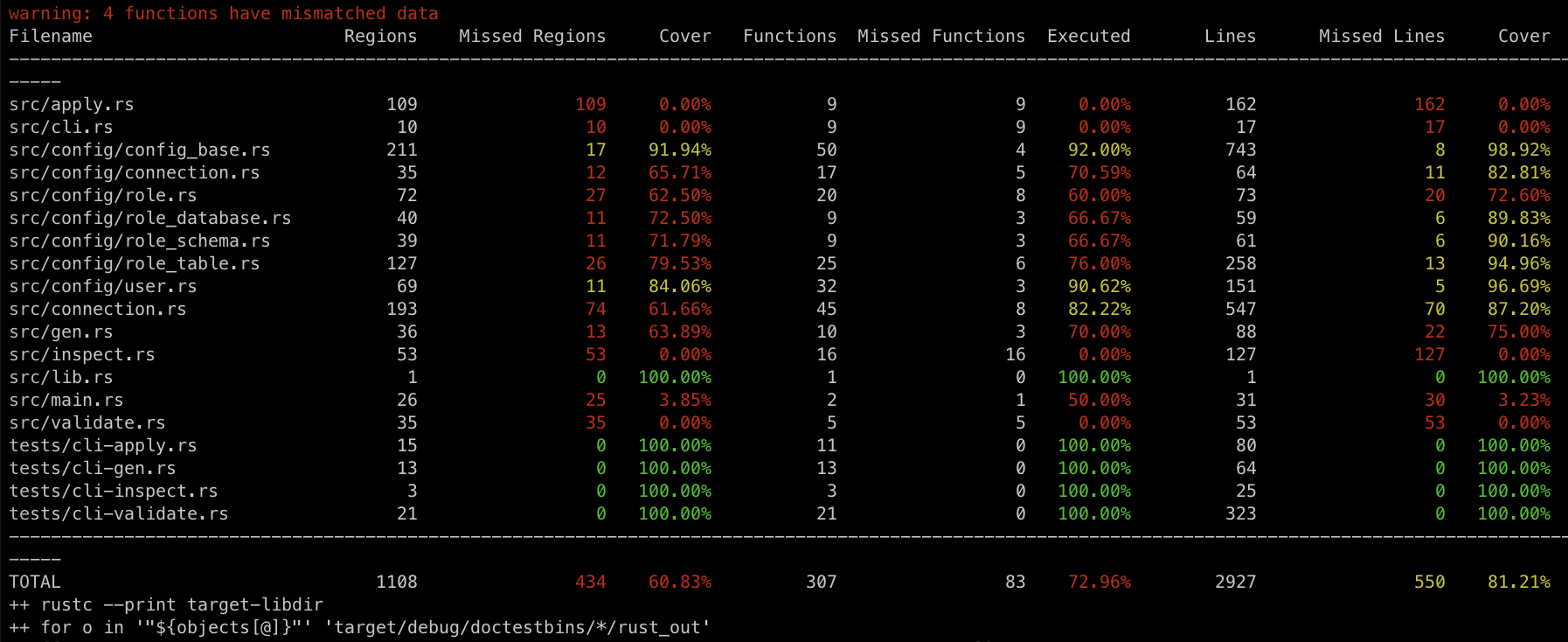
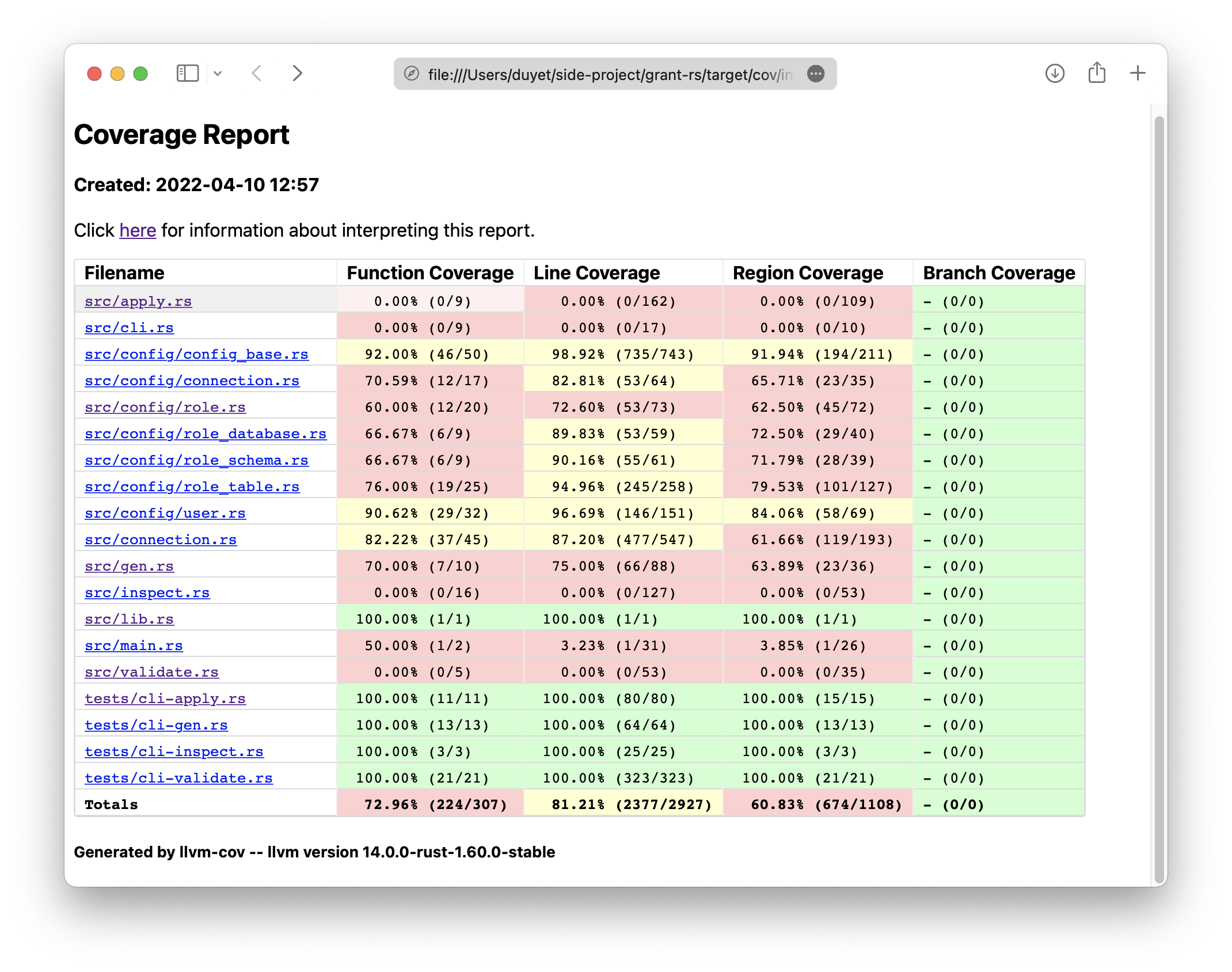
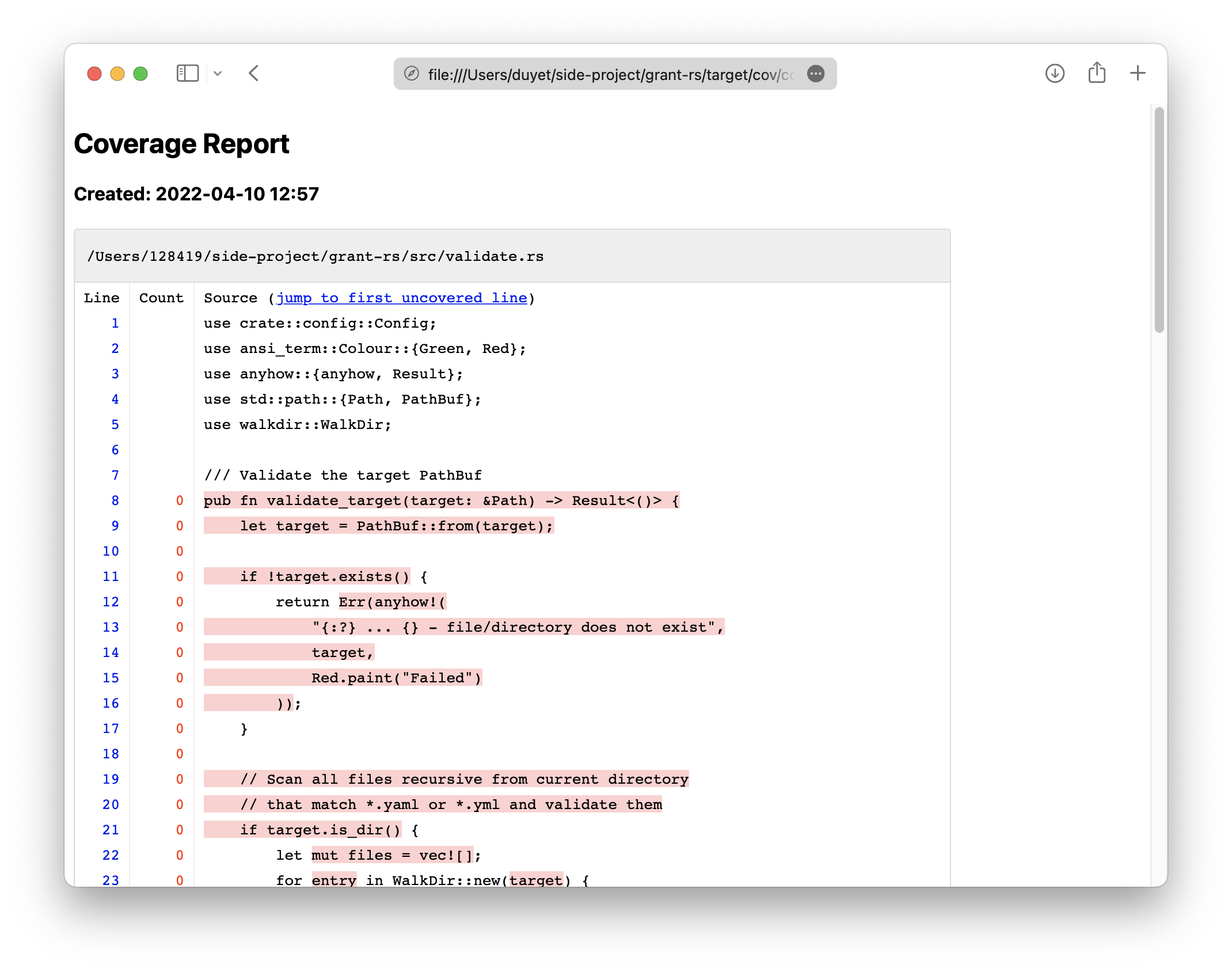
Here is the script that constructs all the steps above, used by my most projects https://github.com/duyet/cov-rs
```bash
bash <(curl -s https://raw.githubusercontent.com/duyet/cov-rs/master/cov.sh)
```
The script will install the necessary crates, run the unit test to generate `profraw`,
merge into `profdata` then render the report in terminal and HTML. It also supports workspace,
able to [comment](https://github.com/duyet/cov-rs/pull/3#issuecomment-1094174485)
the report to Github pull requests as well.

## References
- https://github.com/duyet/cov-rs
- https://blog.rust-lang.org/2022/04/07/Rust-1.60.0.html
- [instrument-coverage](https://doc.rust-lang.org/rustc/instrument-coverage.html)